Steps for installation and important considerations
Step 2 (of 3)
Is your EPLAN License Manager (ELM) compatible with Platform 2023?
If you aren't already, please go to the EPLAN download area. To access the area you must have your Customer ID and Dongle Number (serial number) to hand.

Generating a new EID Code
Navigate to the open tab for the download area and continue to step 2
Select on “Create Entitlement ID (EID)”

You will be requested to confirm contact details for the EPLAN EID
Select “Request Entitlement ID (EID)
.jpg?width=284&name=Untitled%20design%20(6).jpg)
An email will be sent with the License Details.
They are also shown at the bottom of the Login Page of the download area.
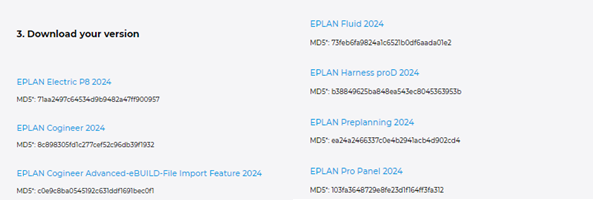


EPLAN License Manager (ELM)
If an existing EPLAN License Manager (ELM) is installed on a server, it will need to be updated as a minimum. This is to ensure the latest Elements and modules are shown with the correct names.
The ELM version most compatible with Platform 2024 is EPLAN_License_Manager_2024.0.3.225.
To check the version you currently have installed open the ELM on the server and go to “About”

Within the downloaded software, there is a section for updating the ELM.
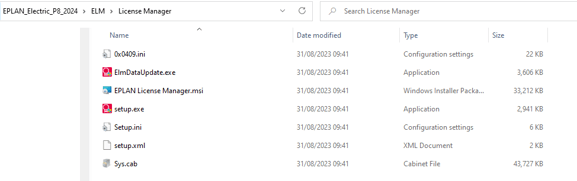
The ElmDataUpdate.exe will only update the data for the ELM, that includes the names of the Licenses, Elements and auto update any bundles with matching license types.
It will not add any new elements purchased.
It does not update to the latest version, it only installs data.
The ELM version most compatible with Platform 2024 is EPLAN_License_Manager_2024.0.3.225.
If the update is unsuccessful, you will have to run setup.exe to install the latest version.
.png?width=350&name=GO%20TO%20NEXT%20STEPS%20(4).png)